Shipped
Bonver Logistics
2022
Swedish logistics company for e-commerce
Shipped
Bonver Logistics
2022
Swedish logistics company for e-commerce
Shipped
Bonver Logistics
2022
Swedish logistics company for e-commerce
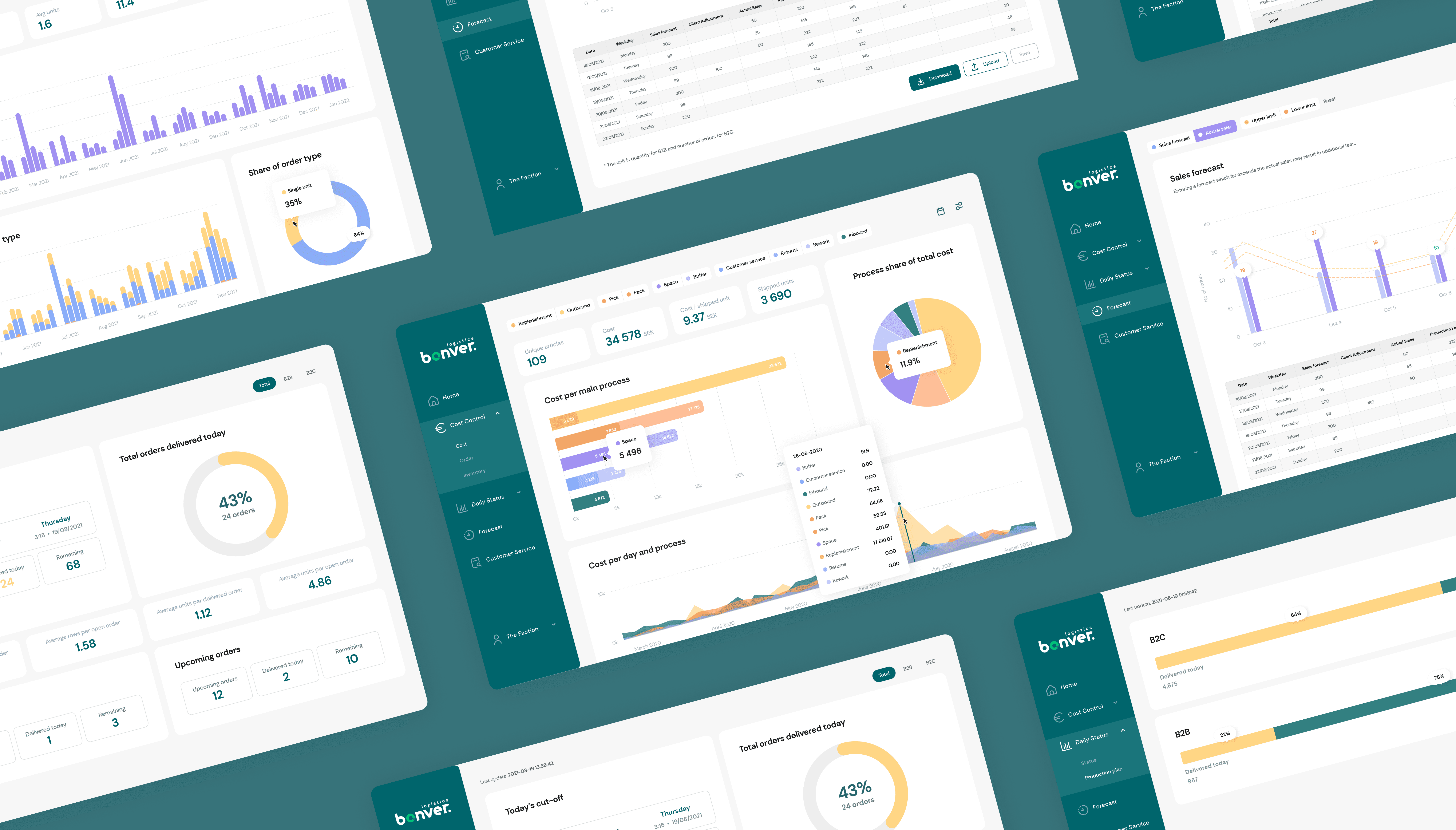
Bonver Logistics specialises in customised logistics with a high level of service and flexibility. Based in Sweden, they cater to worldwide delivery and offer tailor-made solutions to fit their clients’ needs.
Product
Web app
Services
UX design
UI design
My role
Product Design Lead
Timeline
3 months
Bonver Logistics specialises in customised logistics with a high level of service and flexibility. Based in Sweden, they cater to worldwide delivery and offer tailor-made solutions to fit their clients’ needs.
Product
Web app
Services
UX design
UI design
My role
Product Design Lead
Timeline
3 months
Bonver Logistics specialises in customised logistics with a high level of service and flexibility. Based in Sweden, they cater to worldwide delivery and offer tailor-made solutions to fit their clients’ needs.
Product
Web app
Services
UX design
UI design
My role
Product Design Lead
Timeline
3 months
The challenge
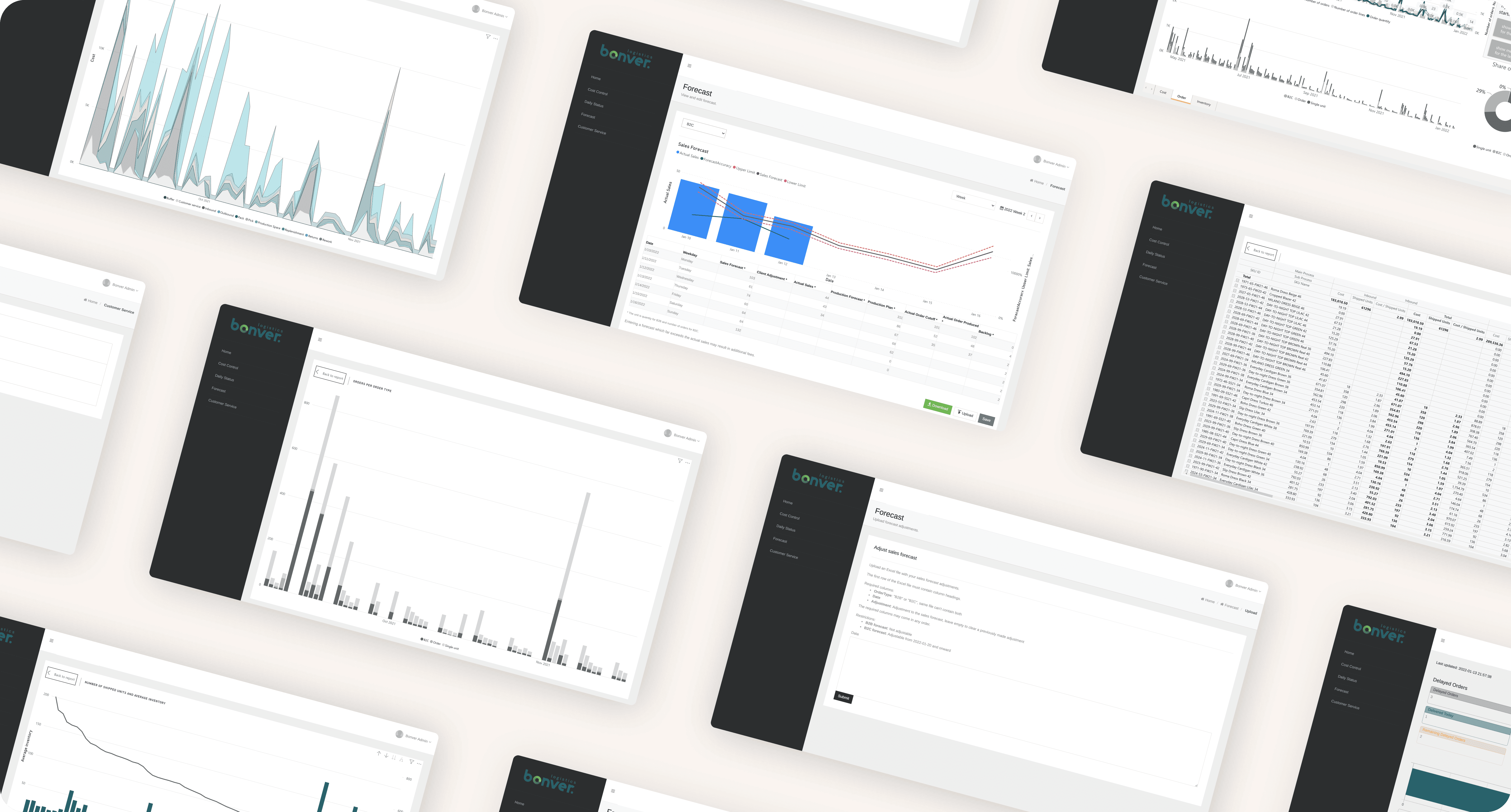
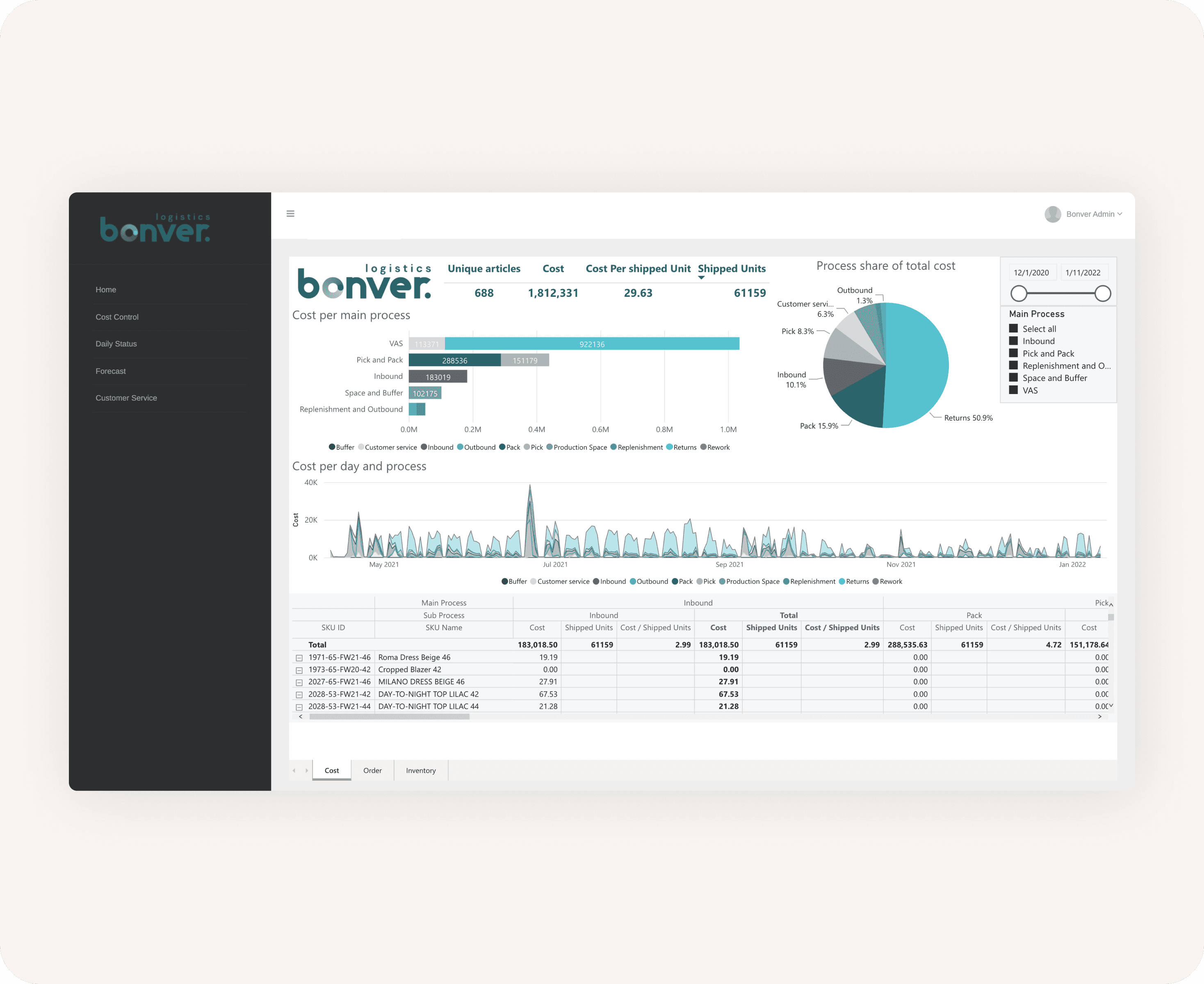
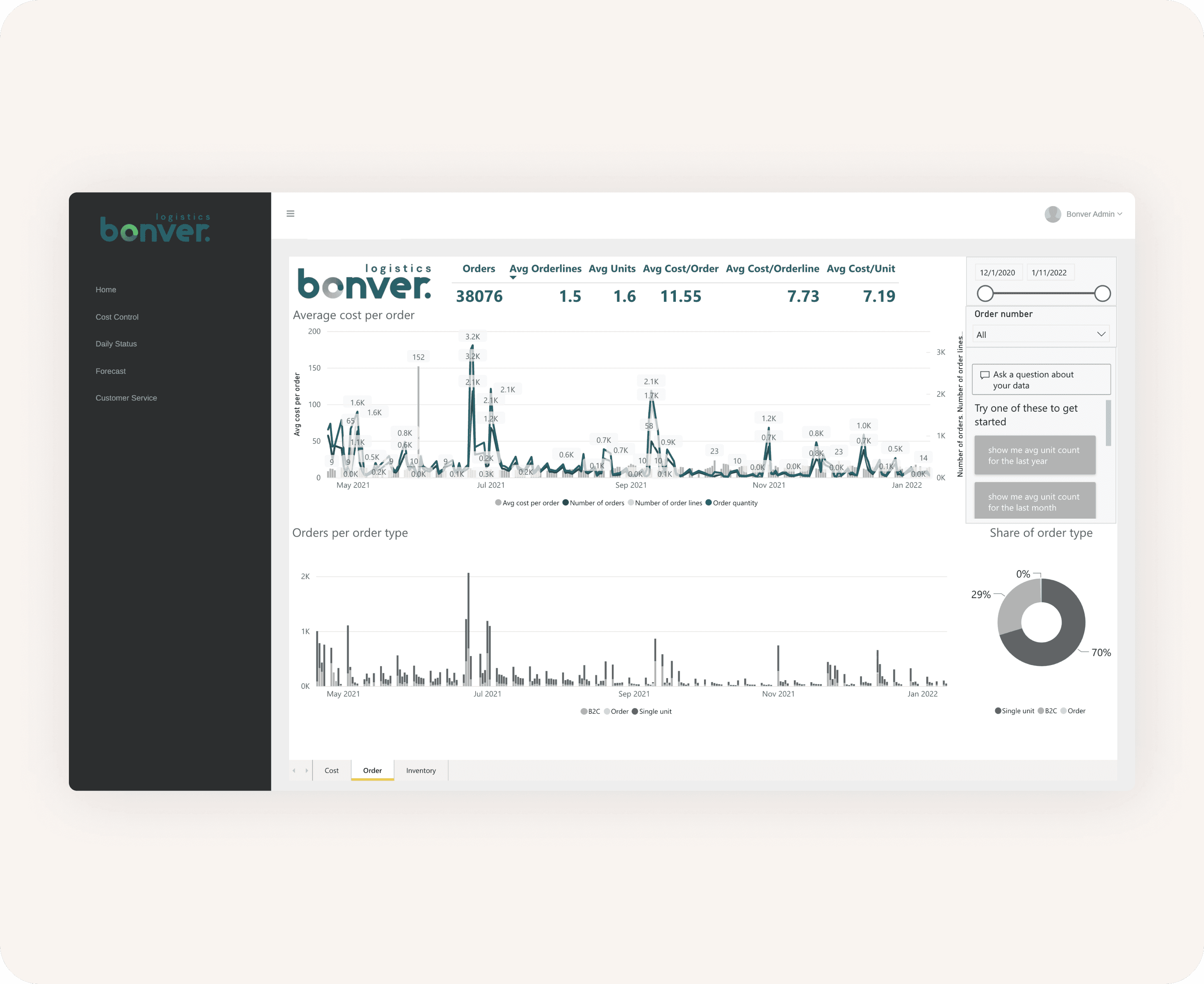
Bonver’s original platform relied on Microsoft Power BI, a tool known for its graph-heavy visualisations. While powerful, the interface came with a steep learning curve, and usability often took a back seat to functionality. Users were not only struggling to understand the data, but they also struggled to use and navigate the application. The challenge was to make sense of the data and user struggles, reinterpret the user experience and create an interface that is more engaging and intuitive that worked equally well for both regular and power users.
Problem statement
The current platform was overly complex and difficult to interpret, making it challenging for users to manage, understand, and interact with their data effectively.
The challenge
Bonver’s original platform relied on Microsoft Power BI, a tool known for its graph-heavy visualisations. While powerful, the interface came with a steep learning curve, and usability often took a back seat to functionality. Users were not only struggling to understand the data, but they also struggled to use and navigate the application. The challenge was to make sense of the data and user struggles, reinterpret the user experience and create an interface that is more engaging and intuitive that worked equally well for both regular and power users.
Problem statement
The current platform was overly complex and difficult to interpret, making it challenging for users to manage, understand, and interact with their data effectively.
The challenge
Bonver’s original platform relied on Microsoft Power BI, a tool known for its graph-heavy visualisations. While powerful, the interface came with a steep learning curve, and usability often took a back seat to functionality. Users were not only struggling to understand the data, but they also struggled to use and navigate the application. The challenge was to make sense of the data and user struggles, reinterpret the user experience and create an interface that is more engaging and intuitive that worked equally well for both regular and power users.
Problem statement
The current platform was overly complex and difficult to interpret, making it challenging for users to manage, understand, and interact with their data effectively.
Part 1
Gaining an understanding
To understand the problem and the product, I started with a usability audit of the to pinpoint friction points and cognitive overload moments. Making sense of the data took longer than expected as the platform struggled with responsiveness and it was difficult to read. Once an understanding was gained, I identified where the experience needed to be restructured, and replaced several unconventional patterns with industry-standard components to reduce the learning curve and improve overall usability. After my team completed the rebranding, I built out the user flows, began wireframing and iterated on the designs.
Part 1
Gaining an understanding
To understand the problem and the product, I started with a usability audit of the to pinpoint friction points and cognitive overload moments. Making sense of the data took longer than expected as the platform struggled with responsiveness and it was difficult to read. Once an understanding was gained, I identified where the experience needed to be restructured, and replaced several unconventional patterns with industry-standard components to reduce the learning curve and improve overall usability. After my team completed the rebranding, I built out the user flows, began wireframing and iterated on the designs.
Part 1
Gaining an understanding
To understand the problem and the product, I started with a usability audit of the to pinpoint friction points and cognitive overload moments. Making sense of the data took longer than expected as the platform struggled with responsiveness and it was difficult to read. Once an understanding was gained, I identified where the experience needed to be restructured, and replaced several unconventional patterns with industry-standard components to reduce the learning curve and improve overall usability. After my team completed the rebranding, I built out the user flows, began wireframing and iterated on the designs.
Part 2
Visualise with intent
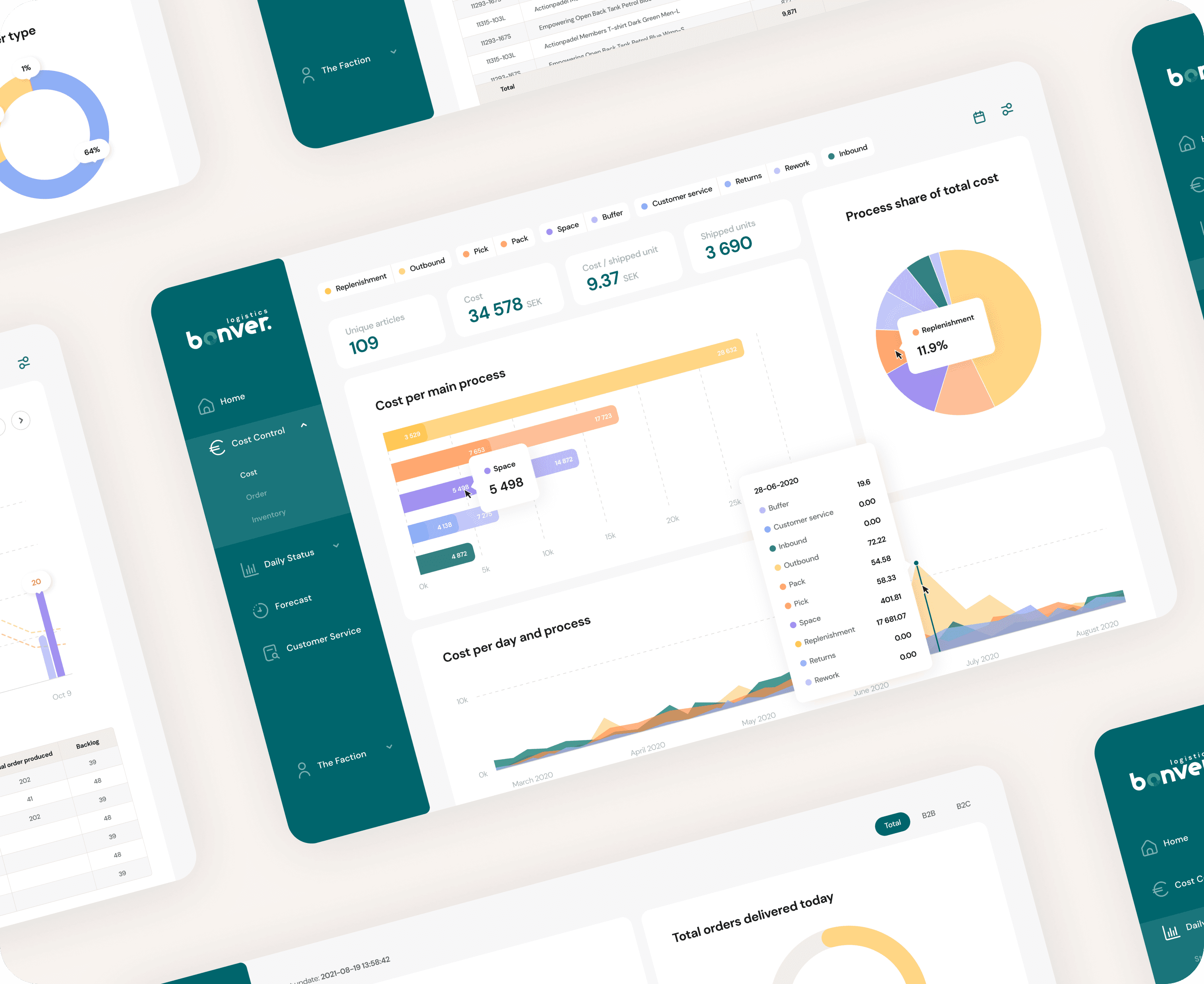
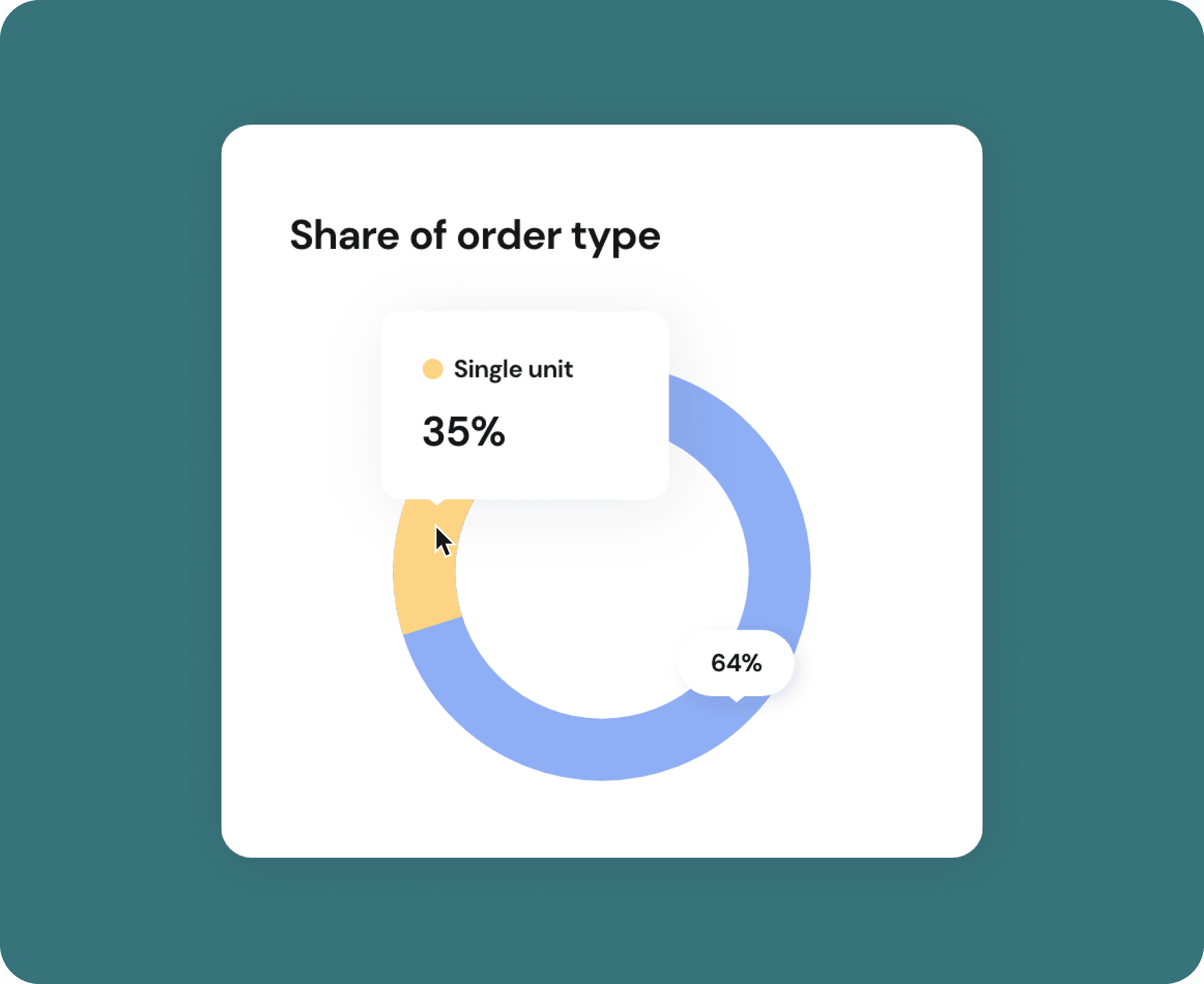
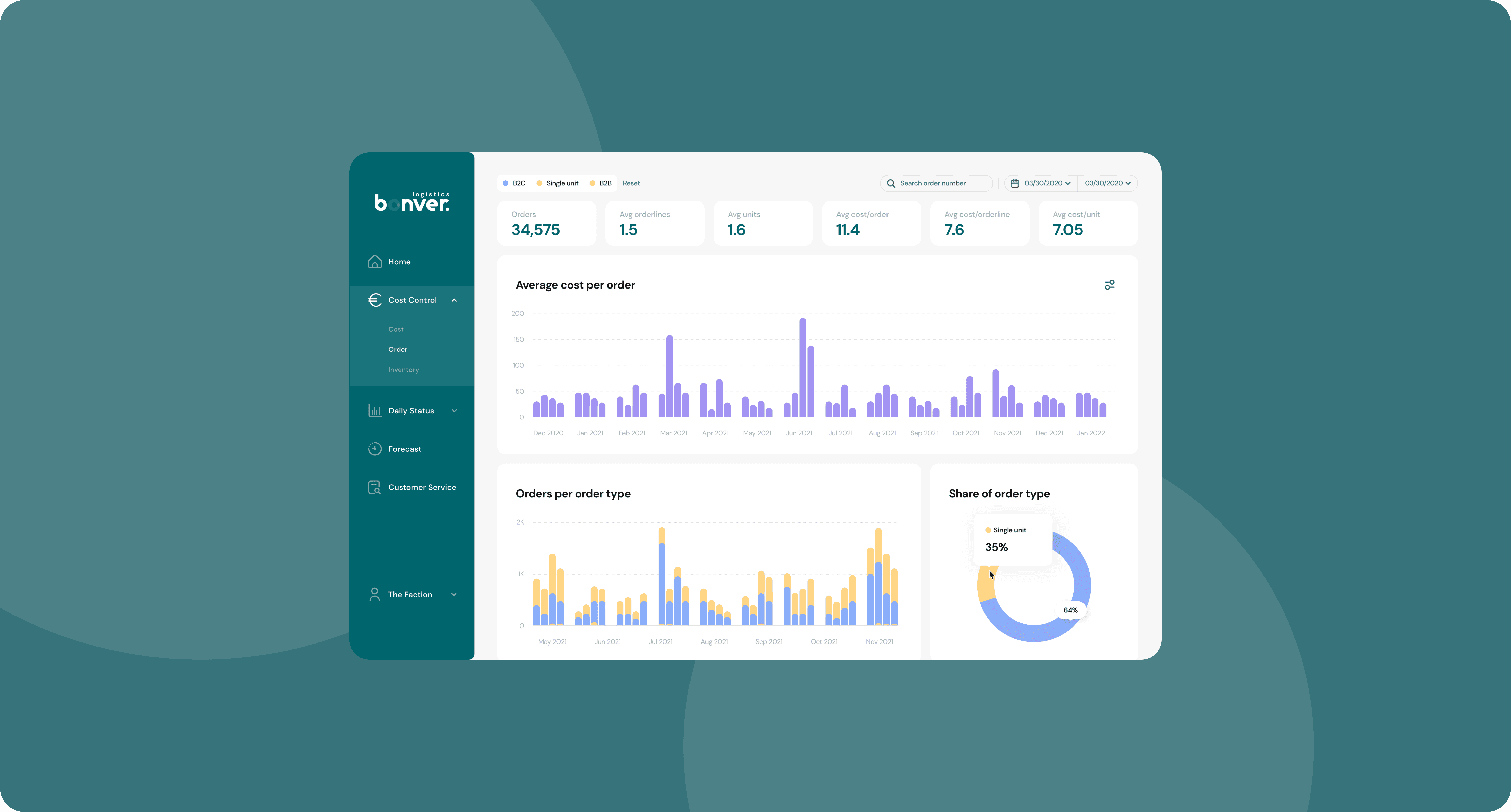
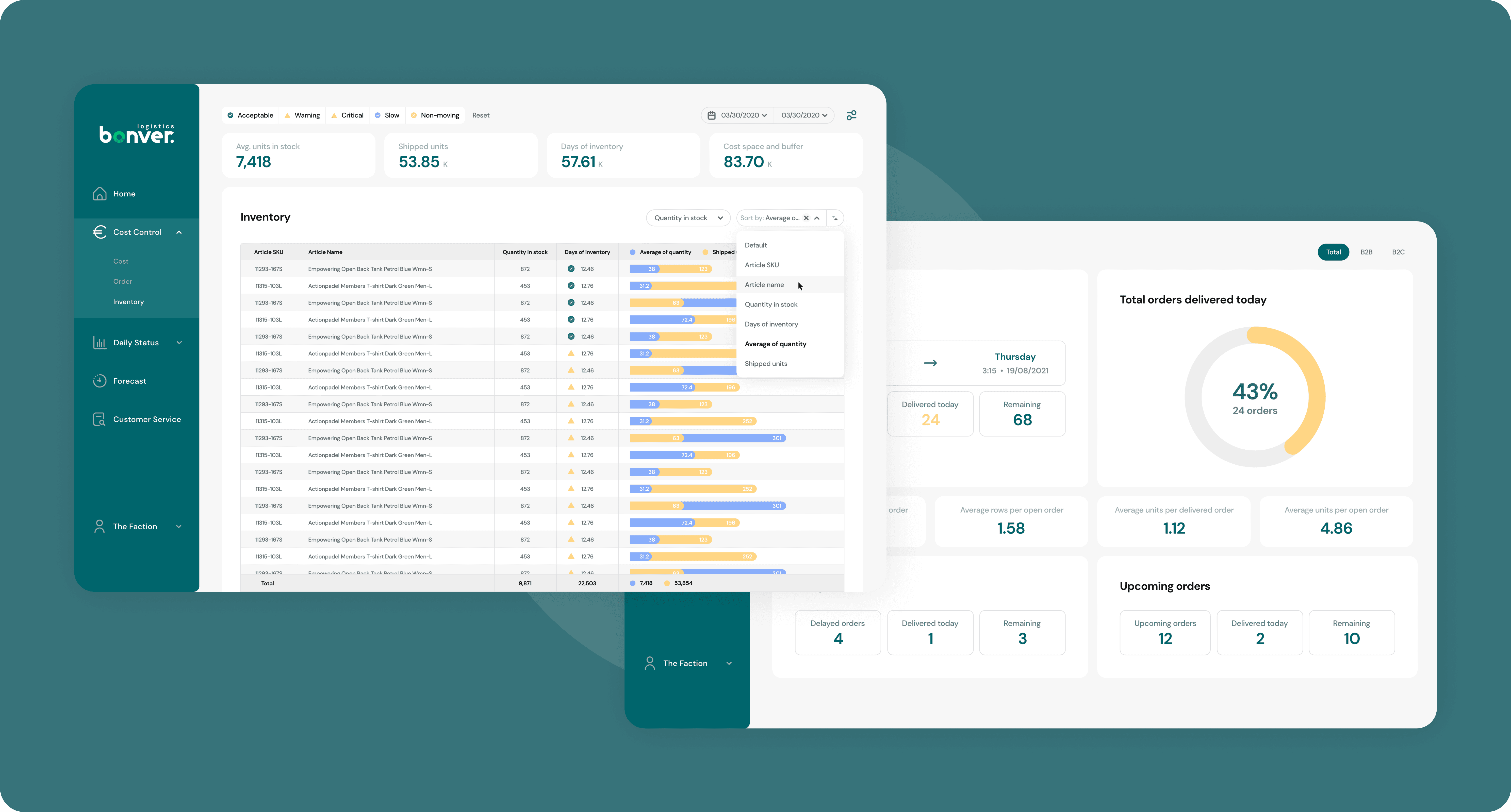
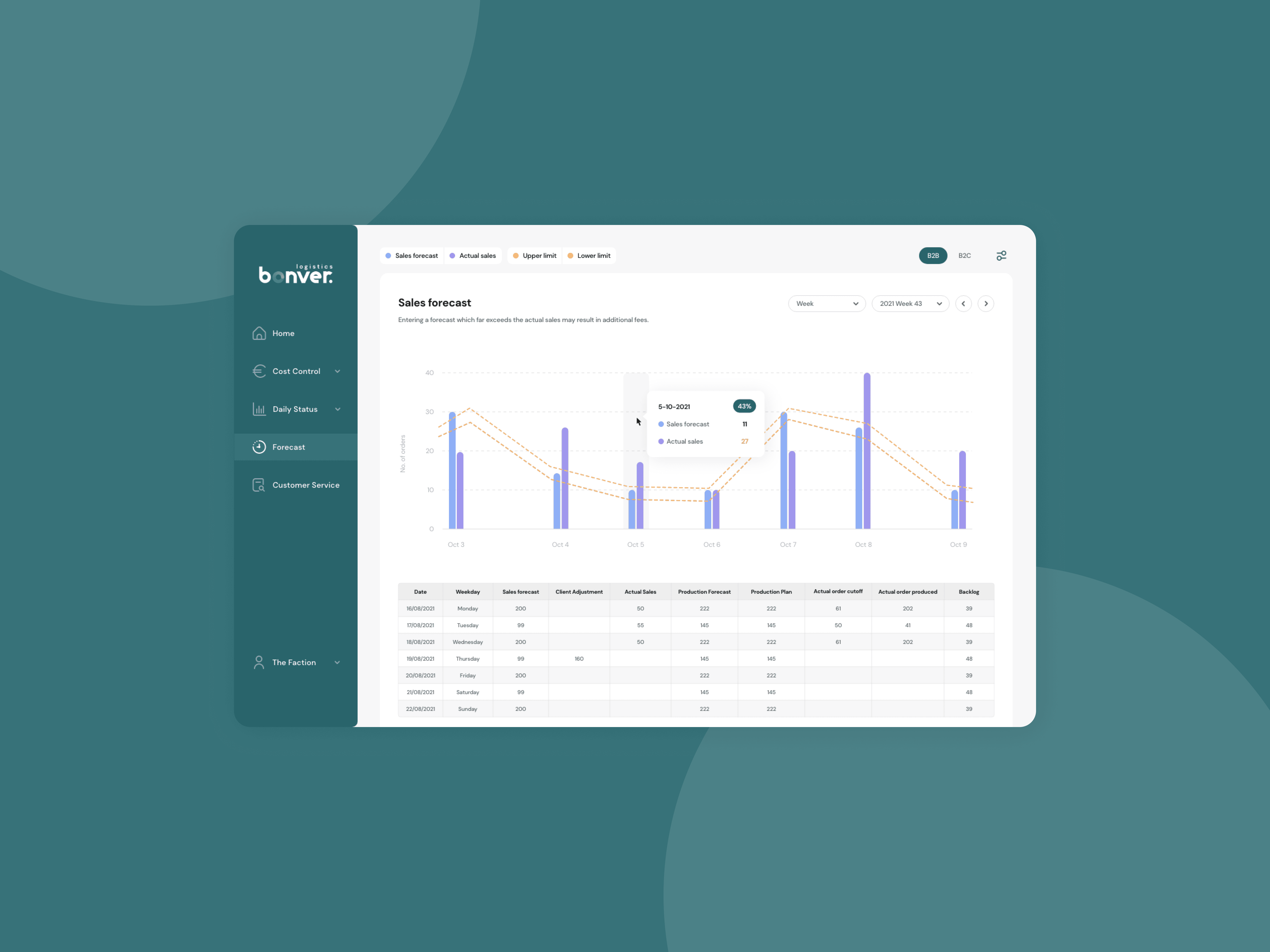
Upon deciding on a design direction after rounds of iteration, I started with main structural and navigational elements before moving on to more granular design. Because we were working with a lot of data, I had to visualise it in a way that was easy to interpret. This also meant that the design had to be aligned with the new graph library that we had chosen, which was Chart.js. In areas the user needed to consume a lot of information at once, I opted for a clean table with minimal visual elements. To understand trends or ratios, I used graphs for quick scanning.
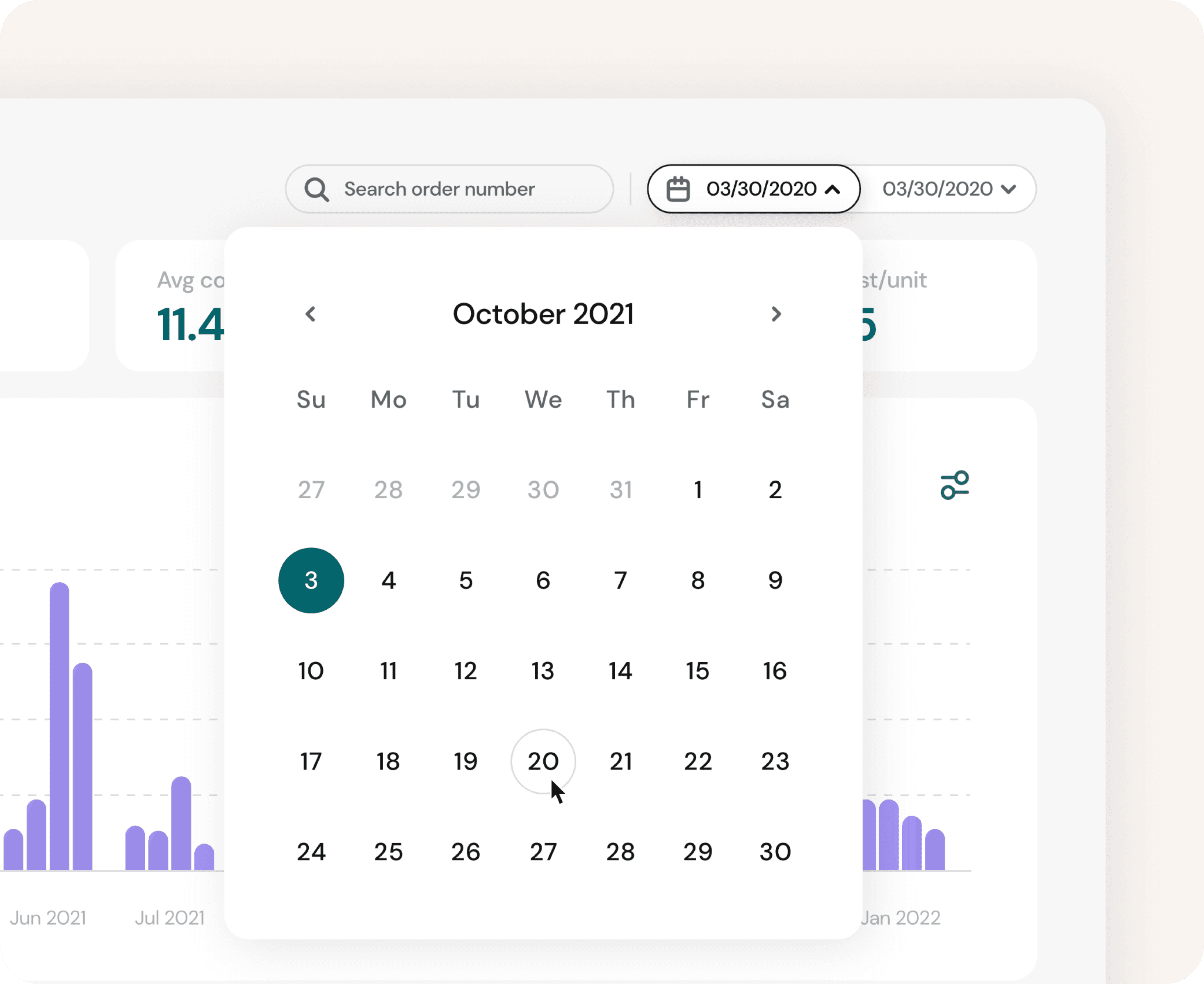
In the previous version of the platform, almost every element was clickable and filterable. This was confusing as different elements behaved in the same or similar ways. To fix this, filters were moved out of the graphs to the top left of the screen, tooltips were instead used to provide contextual information on a graph.
Part 2
Visualise with intent
Upon deciding on a design direction after rounds of iteration, I started with main structural and navigational elements before moving on to more granular design. Because we were working with a lot of data, I had to visualise it in a way that was easy to interpret. This also meant that the design had to be aligned with the new graph library that we had chosen, which was Chart.js. In areas the user needed to consume a lot of information at once, I opted for a clean table with minimal visual elements. To understand trends or ratios, I used graphs for quick scanning.
In the previous version of the platform, almost every element was clickable and filterable. This was confusing as different elements behaved in the same or similar ways. To fix this, filters were moved out of the graphs to the top left of the screen, tooltips were instead used to provide contextual information on a graph.
Part 2
Visualise with intent
Upon deciding on a design direction after rounds of iteration, I started with main structural and navigational elements before moving on to more granular design. Because we were working with a lot of data, I had to visualise it in a way that was easy to interpret. This also meant that the design had to be aligned with the new graph library that we had chosen, which was Chart.js. In areas the user needed to consume a lot of information at once, I opted for a clean table with minimal visual elements. To understand trends or ratios, I used graphs for quick scanning.
In the previous version of the platform, almost every element was clickable and filterable. This was confusing as different elements behaved in the same or similar ways. To fix this, filters were moved out of the graphs to the top left of the screen, tooltips were instead used to provide contextual information on a graph.
Reflection
Being able to break down complex data into understandable graphs was an interesting challenge because one still has to derive value while simplifying the visualisation. I had to learn to interpret and condense them in ways that can be used by all user types. Collaborating with the development team on graph capabilities and which libraries to use served as a good guideline for understanding design and development limitations and what interactions we could perform on the dashboard.
Reflection
Being able to break down complex data into understandable graphs was an interesting challenge because one still has to derive value while simplifying the visualisation. I had to learn to interpret and condense them in ways that can be used by all user types. Collaborating with the development team on graph capabilities and which libraries to use served as a good guideline for understanding design and development limitations and what interactions we could perform on the dashboard.
Reflection
Being able to break down complex data into understandable graphs was an interesting challenge because one still has to derive value while simplifying the visualisation. I had to learn to interpret and condense them in ways that can be used by all user types. Collaborating with the development team on graph capabilities and which libraries to use served as a good guideline for understanding design and development limitations and what interactions we could perform on the dashboard.

Time in Cape Town, ZA
00:00
© 2025 Josh York Mc Donald
Time in Cape Town, ZA
00:00
© 2025 Josh York Mc Donald
Time in Cape Town, ZA
00:00
© 2025 Josh York Mc Donald